Christopher Habetler Book a quick call (opens in a new tab)
Christopher HabetlerDismissal HubBack to What I Build

Dismissal Hub

For whoever runs dismissal. Every kid has to be on the right list by the bell, and the list changes all afternoon.

Each bus and door gets its own list on a phone. A parent’s change shows up on those phones right away. The office sees every kid who is still unaccounted for, and where they should be.

Keep scrolling

One Afternoon, Start to Finish

A sample school on a Wednesday, from 2:50 to the last kid out. Every name below is made up.

The whole afternoon in under a minute. No sound.

  1. Step 01

    What You Start With

    At 2:50 the lists are already right. Every kid is on one list, worked out from their usual day plus today’s changes. Kids who are out today are already counted.
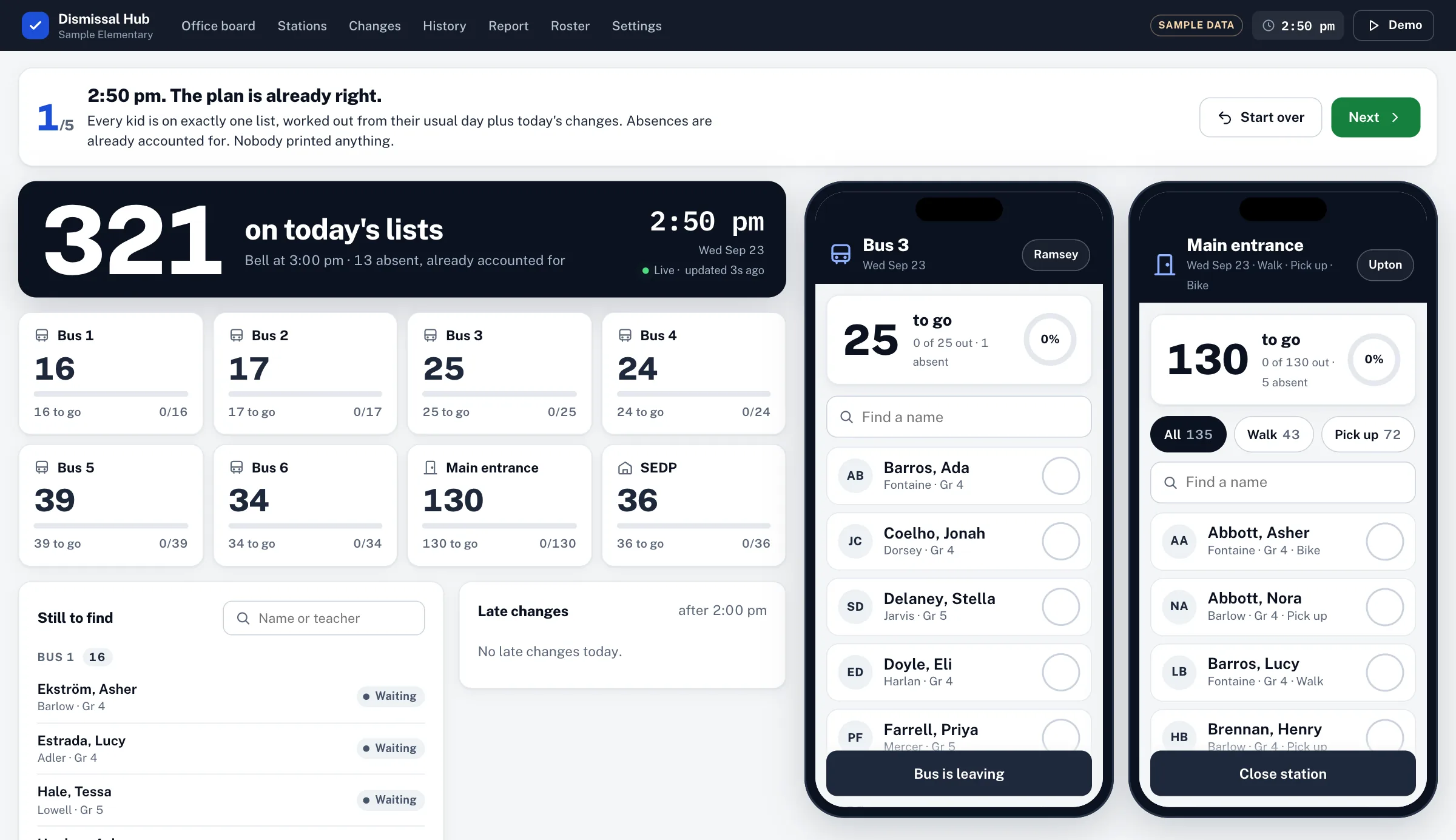
    The office board at 2:50 on a sample Wednesday. A dark band reads 321 on today’s lists, bell at 3:00, 13 absent and already accounted for. Below it, one tile per station, six buses, the main entrance and extended day, each with its count. Beside the board, two phones show the Bus 3 list and the main entrance list, every kid still waiting.
  2. Step 02

    A Parent Calls

    You enter the change once, and every change has to have an end date, so a one-day change cannot turn into a permanent one by accident.

    Bus 3 finds out the kid is not riding today. The main entrance finds out they’re coming. Both phones show it right away.
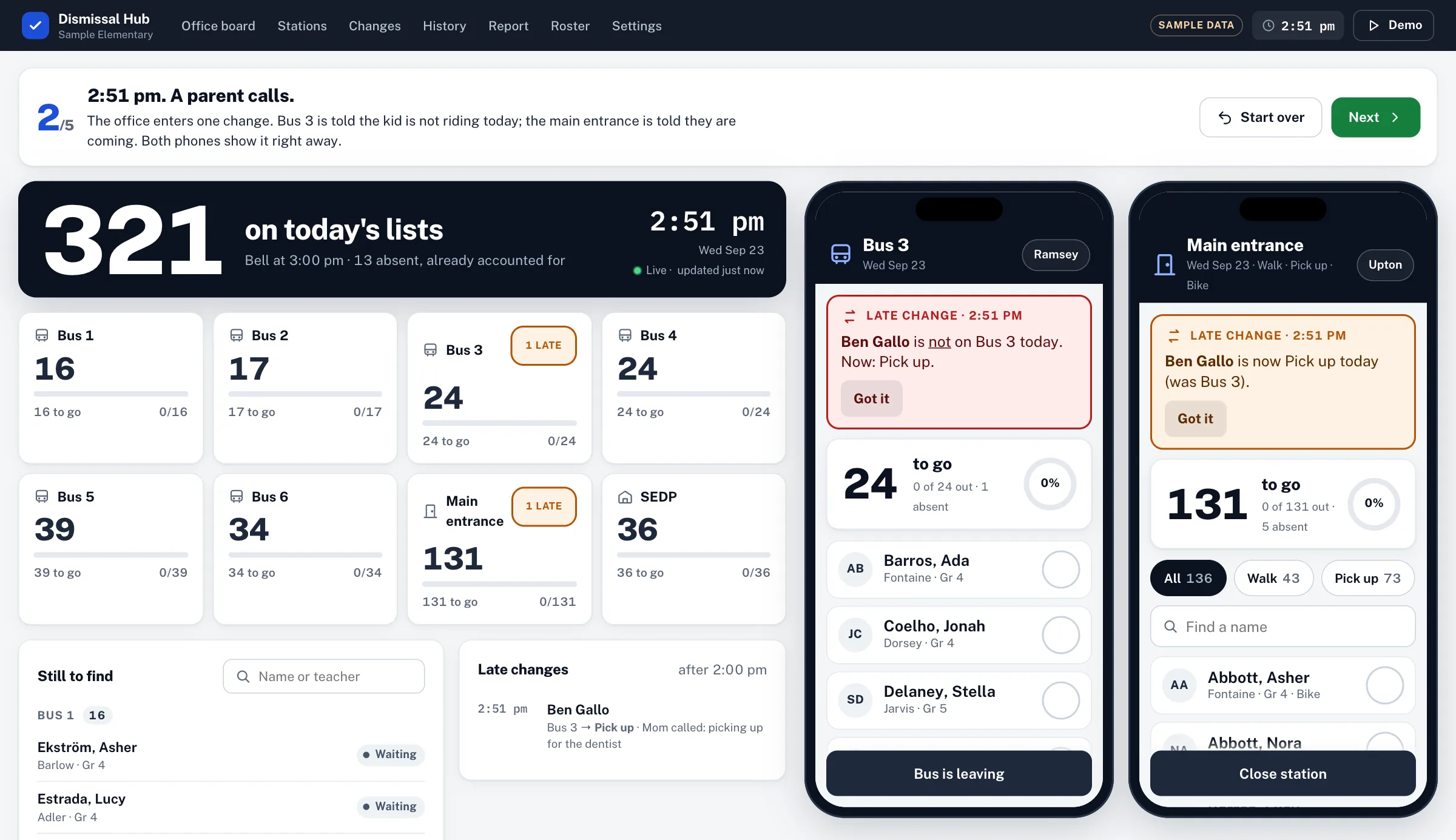
    The same board at 2:51, after a parent called. Bus 3 and the main entrance each carry a 1 late tag. On the Bus 3 phone a red banner says the student is not on Bus 3 today, now pick up. On the main entrance phone an amber banner says the same student is now pick up today, was Bus 3. Each banner has a Got it button.
  3. Step 03

    At the Curb

    Whoever is on the bus opens that bus on their phone and sees only those kids. One tap per kid, with an undo. The count at the top goes down as they leave.
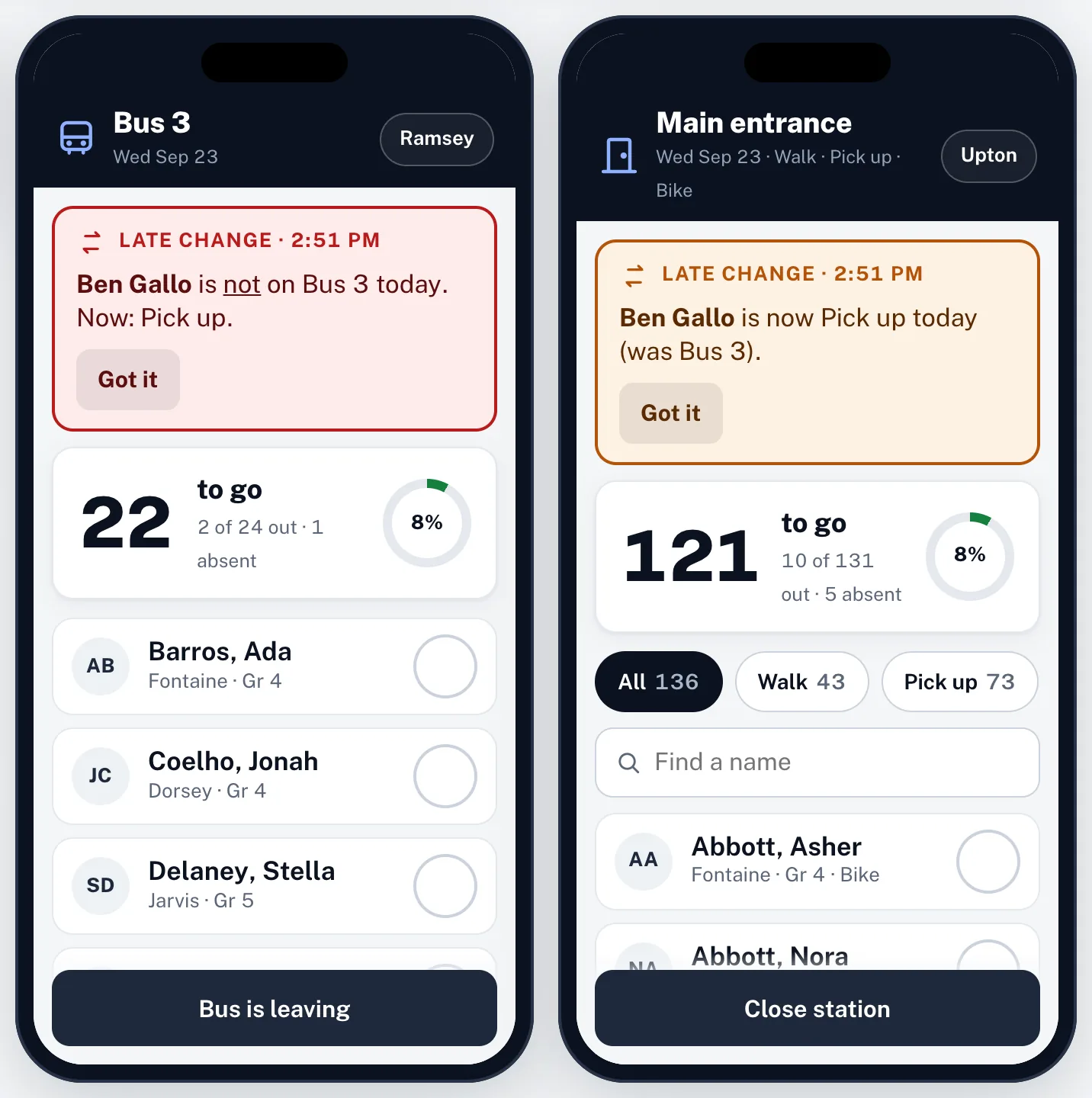
    Two station phones a minute into dismissal. Bus 3 reads 22 to go, 2 of 24 out, and the main entrance reads 121 to go, 10 of 131 out, each with a small progress ring. Both still show the 2:51 late change at the top, and each list has one row per kid with a round check button.
  4. Step 04

    When Someone Is Missing

    A bus pulls away with one kid not checked. The office sees the name, the teacher and the bus right then.
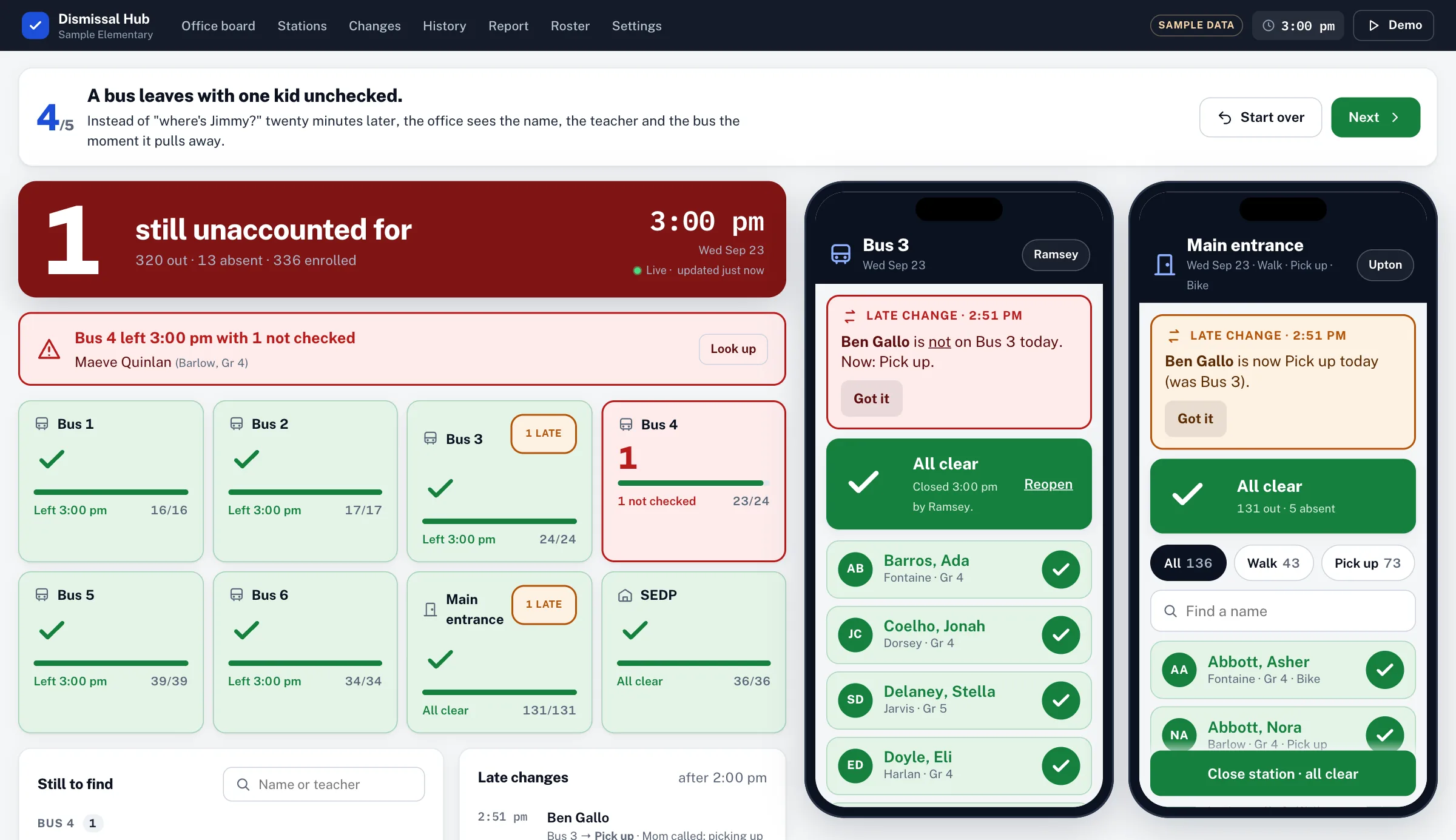
    The office board at 3:00 turned red. It reads 1 still unaccounted for, 320 out. A red alert under it says Bus 4 left at 3:00 with 1 not checked, names the student and their teacher, and has a Look up button. Every other station tile is green with a check.
  5. Step 05

    Everyone Accounted For

    When the last kid is out, the board goes green. Every tap is saved with who, where and when, so when a parent calls about last Tuesday, you can look it up.
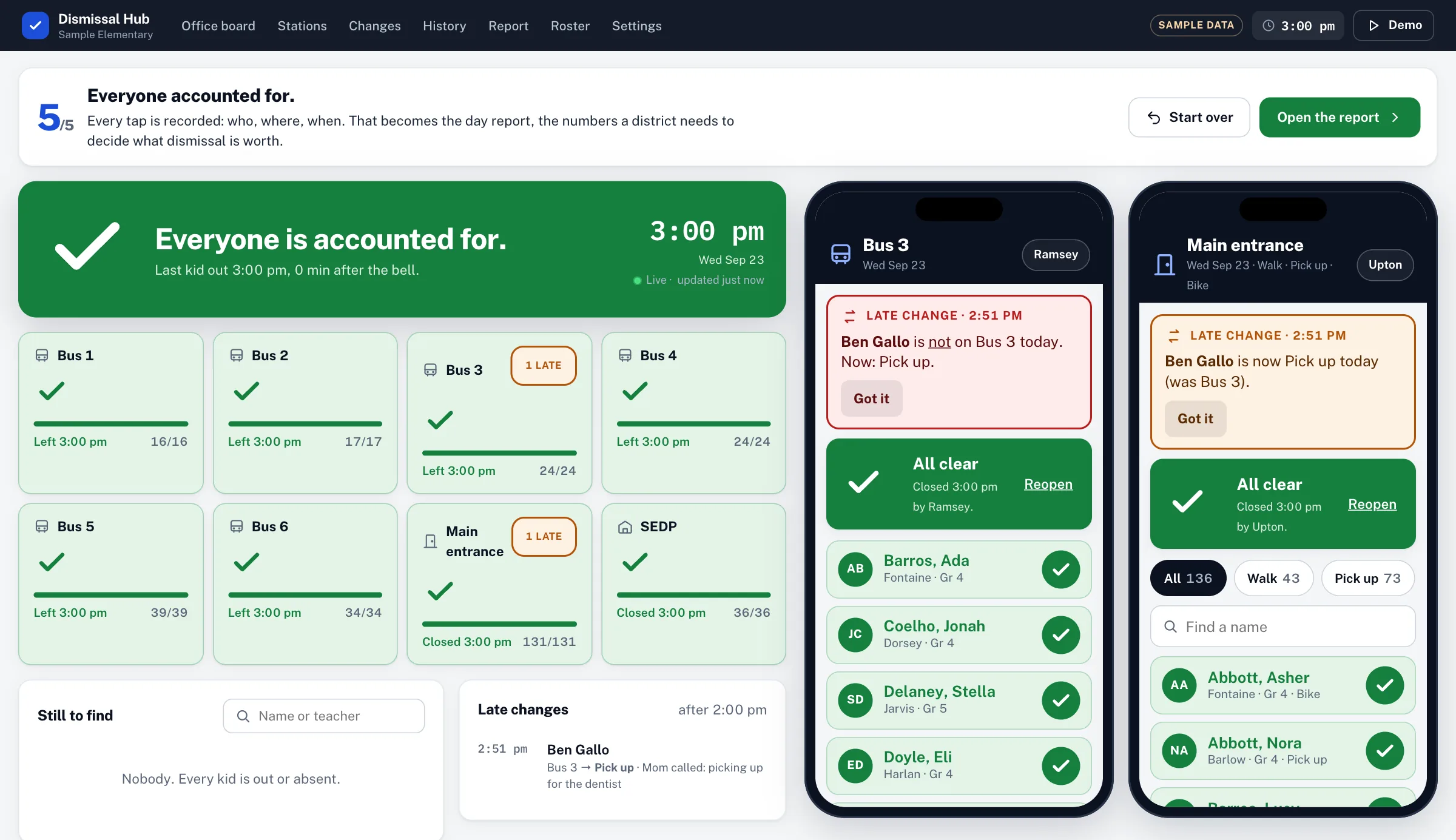
    The office board with everyone accounted for: a green band with a large check, last kid out at 3:00, and every station tile green with the time it closed. Both phones show All clear and who closed the station.

Where It Stands

Right now it’s set up on a sample school. It’s built to move into a school’s own Google account, behind the login staff already use.

This is the work. If your afternoons look like this one, that’s a thirty minute conversation.

Book a quick call (opens in a new tab)Or write me at chris@habetlerconsulting.com.